Accounting Information System (AIS): Definition, Components, Types, Benefits, and How It Works
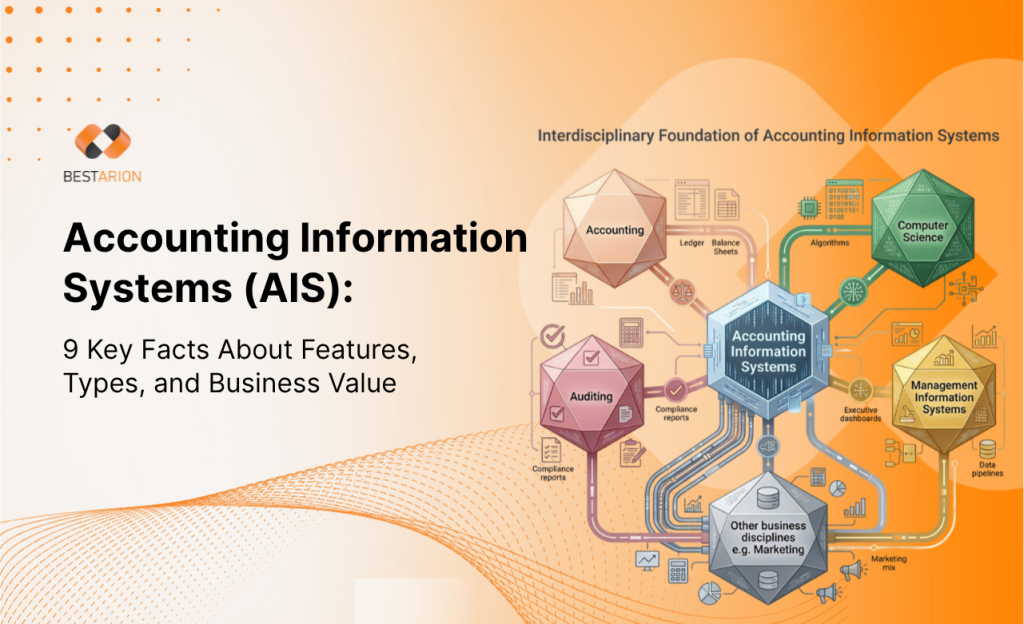
Businesses rarely look up accounting information systems because they want a textbook definition alone. More often, they are trying to answer practical questions: what an AIS actually includes, whether it is the same as accounting software, when a business needs a more structured system, and what matters when choosing or implementing one.
Where the Confusion Starts
- You need a clear explanation of what an AIS is without getting lost in academic language.
- You are trying to understand whether an AIS is the same thing as accounting software or ERP.
- You want to know what information an AIS handles and how it supports reporting, controls, and decision-making.
- You need a simple way to compare manual, legacy, and integrated systems.
- You want a practical checklist for evaluating or implementing an AIS.
Key Takeaways
- An accounting information system is the full system used to collect, process, store, and report financial information, not just the software itself.[1]
- A business can have a manual AIS, a computerized AIS, or a mix of both, but most modern organizations rely heavily on computerized systems.[1]
- The six core AIS components are people, procedures, data, software, IT infrastructure, and internal controls.[1]
- Accounting software focuses on finance tasks, while ERP is broader and connects finance with other functions across the business.[3]
- A strong AIS improves accuracy, visibility, consistency, and control, but implementation quality matters as much as the technology itself.[2][4][5]
What Is an Accounting Information System?
An accounting information system, or AIS, is the system a business uses to collect data about accounting transactions, record and organize that data, process it into useful information, and produce reports for internal and external users.[1] In plain terms, it is the framework that turns day-to-day financial activity into information people can actually use.
That framework may include paper records, spreadsheets, accounting software, databases, workflows, review steps, approval rules, and reporting outputs. In modern business settings, AIS usually refers to a computerized system because software-based accounting has become the standard approach for most organizations.[1]
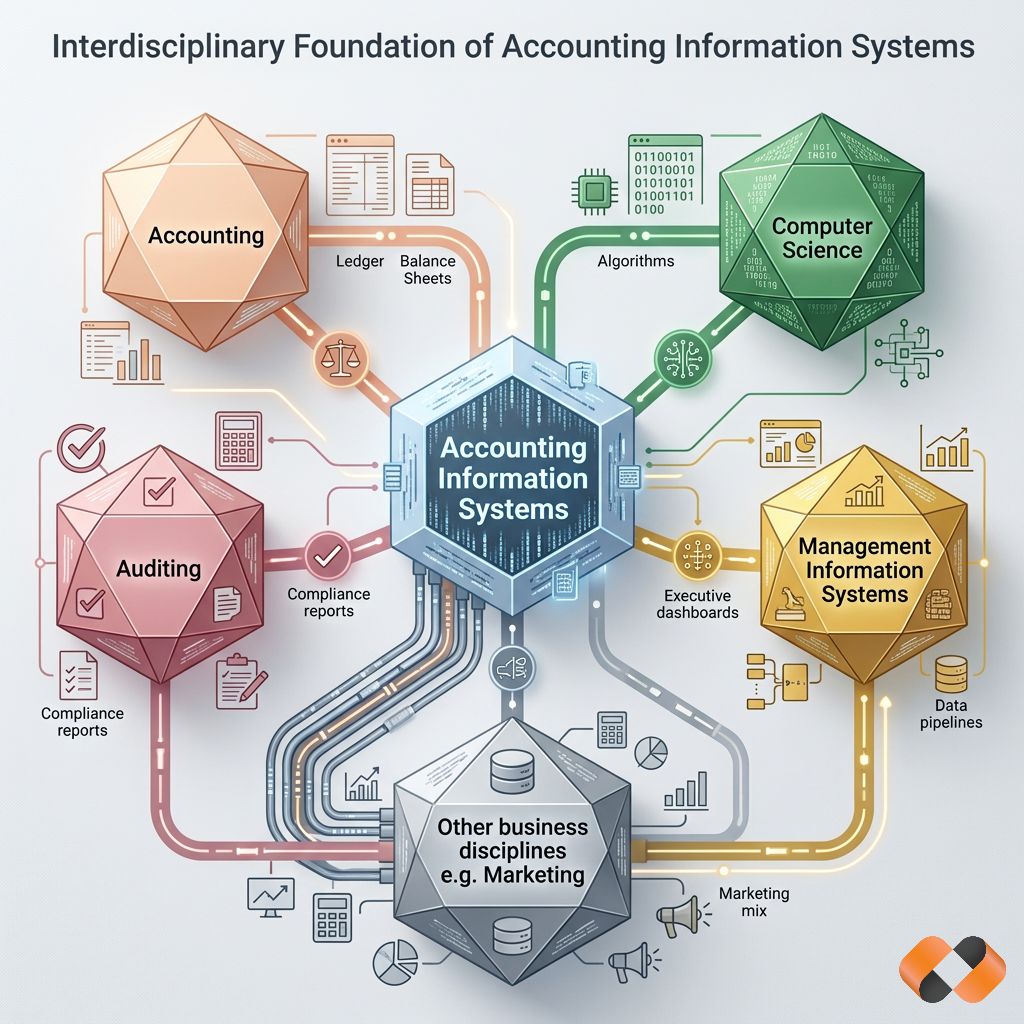
An AIS is also broader than a bookkeeping tool. It supports daily transaction processing, financial reporting, management decisions, compliance work, and audit readiness. That is why it is more accurate to think of AIS as a business system for financial information, rather than just a piece of software.
How an Accounting Information System Works
At a practical level, an AIS follows a simple flow: input, processing, and output.[1]
| Stage | What happens | Typical examples |
|---|---|---|
| Input | Financial data enters the system | Sales invoices, purchase orders, payroll records, receipts, bank transactions |
| Processing | The system records, classifies, validates, and organizes the data | Posting journal entries, matching transactions, reconciliations, calculations |
| Output | The system turns processed data into useful information | Financial statements, AP and AR aging reports, budgets, management reports |
| Control | Review and protection steps help maintain quality and security | Approvals, access permissions, audit trails, monitoring |
This matters because businesses do not benefit from raw data alone. They benefit when that data is captured correctly, processed consistently, and turned into reports that support action. A useful AIS reduces the gap between financial activity and financial visibility.[1][5]
What Information Does an AIS Handle?
An AIS typically includes the financial and business information that affects a company’s accounting records, reporting, or control environment. Depending on the business, that can include:
- sales orders and customer invoices
- vendor bills and purchase records
- payroll and timekeeping data
- inventory records
- tax-related information
- general ledger entries
- cash receipts and payments
- budgeting and forecasting inputs
The exact mix varies by company size, industry, reporting obligations, and operational complexity. What matters is that the system holds the information needed to support reliable recordkeeping and reporting.[1]
The Core Components of an AIS
OpenStax identifies six core AIS components that still provide a useful framework for understanding how the system works in practice.[1]
1. People
People remain central to AIS performance. Accountants, finance managers, executives, auditors, IT staff, and process owners all interact with the system in different ways. Some enter data, some review it, some manage access, and some rely on reports to make decisions.[1]
2. Procedures and Instructions
Procedures define how data is collected, entered, reviewed, approved, corrected, and reported. Even strong software becomes unreliable when the rules for using it are unclear or inconsistently followed.[1][5]
3. Data
Data is the raw material of the system. If the inputs are incomplete, duplicated, or inconsistent, the outputs will not be trustworthy. Good AIS design depends on relevant, accurate, and well-structured financial data.[1][5]
4. Software
Software is the operational engine of a modern AIS. It may range from entry-level accounting tools to more advanced financial platforms with automation, reporting, consolidation, and integration features.[1][2]
5. IT Infrastructure
Infrastructure includes the hardware, networks, devices, hosting environment, and technical support that keep the system running. In cloud environments, some of that burden shifts to the provider, but reliability, access, and security still need planning.[2]
6. Internal Controls
Internal controls are the policies, processes, and safeguards that help protect data quality, reporting reliability, operational effectiveness, and compliance. A sound control environment does not eliminate risk, but it helps provide reasonable assurance that the system can be trusted.[6]
Types of Accounting Information Systems
Not every business uses the same kind of AIS. The right setup depends on transaction volume, reporting needs, internal complexity, and growth plans.
| Type | Best fit | Strengths | Limitations |
|---|---|---|---|
| Manual AIS | Very small businesses with low transaction volume | Low upfront complexity, familiar workflows | Slow, error-prone, limited visibility and reporting |
| Basic computerized AIS | Small to midsize businesses with standard accounting needs | Better efficiency, easier reporting, less manual work | May become limiting as complexity grows |
| Legacy on-premises AIS | Organizations with older established systems | Familiar processes, historical continuity | Harder integrations, higher maintenance burden, weaker flexibility |
| Integrated cloud or ERP-based AIS | Growing businesses with cross-functional needs | Better scalability, automation, visibility, and integration | Requires more planning, change management, and governance |
A business does not always need a large ERP platform. But once reporting becomes more complex, data lives in multiple systems, or teams need stronger controls and automation, a more integrated AIS becomes easier to justify.[2][3][4]
AIS vs. Accounting Software vs. ERP
These terms are often used as if they mean the same thing, but they do not.
| Term | What it covers | Best understood as |
|---|---|---|
| Accounting software | Core finance functions such as general ledger, AP, AR, invoicing, and reporting | A tool |
| Accounting information system (AIS) | People, procedures, data, software, infrastructure, and controls used to manage accounting information | A full system |
| ERP | Finance plus broader operational functions such as inventory, procurement, CRM, HR, and supply chain | An enterprise-wide platform |
Accounting software focuses on financial tasks. ERP is broader and connects finance with other business functions through a more unified operating model.[3] AIS sits between those ideas in a useful way: it is not limited to software, but it is also not automatically as broad as a full ERP.
That distinction matters when businesses evaluate needs. If the problem is mainly bookkeeping efficiency, accounting software may be enough. If the problem involves fragmented processes, multi-entity reporting, inventory dependencies, or cross-functional visibility, the AIS discussion often starts moving toward ERP territory.[2][3][4]
How Businesses Use an AIS
A well-run AIS supports more than recordkeeping. In practice, businesses use it to:
- record routine transactions such as sales, purchases, payroll, receipts, and payments
- maintain core accounting records, including the general ledger and supporting schedules
- prepare financial statements and management reports
- monitor receivables, payables, and cash positions
- support budgeting, forecasting, and variance analysis
- improve traceability for audit and compliance work
- provide managers with financial information for planning and decision-making
The stronger the system design, the easier it becomes to move from transaction processing to insight. That is one reason companies often outgrow highly manual or fragmented finance environments.[1][2][5]
Benefits of an Accounting Information System
An AIS creates value when it improves the quality, speed, and usability of financial information.
| Benefit | Why it matters |
|---|---|
| Better efficiency | Automation reduces repetitive work and manual re-entry.[2][5] |
| Improved accuracy | Validation, standardization, and structured workflows reduce avoidable errors.[2][5] |
| Faster reporting | Timely access to current financial data supports quicker decisions.[1][2] |
| Stronger visibility | Shared data and integrated workflows reduce silos across teams.[3][4] |
| Better control | Access rules, approvals, and monitoring help protect sensitive information and strengthen reliability.[6] |
| Easier scalability | Well-chosen systems support higher transaction volume and evolving reporting needs.[2][3] |
| Stronger compliance support | Better documentation, consistency, and traceability help with audits and reporting obligations.[5][6] |
These benefits are real, but they are not automatic. Poor configuration, weak adoption, or messy underlying data can limit the value of even expensive software.[2][5]
Common Challenges and Limitations of AIS
An AIS can improve finance operations, but it can also disappoint when the business treats technology as the whole solution. Common issues include:
- unclear requirements before software selection
- poor process design or over-customization
- weak data quality before migration
- low user adoption due to limited training
- fragmented integrations with other business systems
- control gaps caused by weak role design or review procedures
- overreliance on legacy workflows inside a newer tool
These problems matter because the goal is not just to install software. The goal is to build a financial information environment that people can use consistently and trust over time.[2][5][6]
What Features Matter Most When Choosing an AIS?
When businesses evaluate an AIS, the checklist should go beyond whether the software can technically post entries.
| Evaluation area | Why it matters |
|---|---|
| Core accounting coverage | The system should support the general ledger, AP, AR, reconciliations, and reporting needs.[2] |
| Reporting depth | Businesses need outputs that support both compliance and decision-making.[1][2] |
| Integration capabilities | Finance works better when data does not have to be re-entered across systems.[2][3] |
| Security and access controls | Sensitive financial information should be restricted, monitored, and protected.[2][6] |
| Scalability | The system should still fit when the business grows in volume, entities, or complexity.[2][3] |
| Deployment model | Cloud and on-premises models create different trade-offs in access, maintenance, and control.[2] |
| Configurability | Businesses often need some flexibility without turning the implementation into a custom build.[2][5] |
| Training and support | Software is harder to adopt when the support model is weak.[2][5] |
A good evaluation process should also test real workflows, not just generic vendor demos. The more closely a demo reflects actual reporting, approval, and exception scenarios, the more useful it becomes.[2][5]
A Practical AIS Implementation Checklist
Implementation quality often determines whether the system becomes an asset or a long-term frustration.
1. Define goals and requirements
Start with business needs, reporting requirements, controls, and integration points. Separate must-haves from nice-to-haves.[5]
2. Map current processes
Document how work is done today, where delays occur, where duplicate entry happens, and which controls matter most. Then redesign where needed instead of copying weak processes into a new tool.[5]
3. Prepare the data
Clean the chart of accounts, open balances, customer and vendor records, and any historical data that will be migrated. Poor data quality at this stage creates bigger reporting problems later.[5]
4. Configure the system carefully
Set up approval flows, user roles, periods, reporting structures, and required controls. Be cautious about over-customization unless it solves a clear business need.[2][5]
5. Test before go-live
Run test transactions, reports, reconciliations, and exception cases. Parallel runs can help validate accuracy in critical periods.[5]
6. Train users and support adoption
Users need more than a one-time walkthrough. Training, documentation, and post-launch support help the business move from technical deployment to operational use.[5]
Frequently Asked Questions
Is an AIS the same as accounting software?
No. Accounting software is usually one part of an AIS. AIS is broader because it also includes people, procedures, data, infrastructure, and controls.[1][3]
Can a small business have an AIS without ERP?
Yes. A small business can have an AIS built around simpler accounting software, spreadsheets, documented procedures, and clear review controls. ERP becomes more relevant when operations and reporting become more complex.[1][3]
What is the difference between a manual AIS and a computerized AIS?
A manual AIS relies more heavily on paper records and human processing, while a computerized AIS uses software and digital workflows to record, process, and report financial information.[1]
Why are internal controls part of an AIS?
Because financial information is only useful when it is reliable and protected. Internal controls help support reporting quality, compliance, and appropriate use of sensitive data.[6]
What is the first step in implementing an AIS?
The first step is clarifying business requirements and success goals before selecting or configuring technology.[5]
What to Keep in Mind
- AIS is bigger than software. It is the full system around financial information.
- A stronger AIS does not always mean a more complex platform. It means a better fit between business needs, controls, and reporting.
- Manual and basic systems can work for smaller organizations, but complexity eventually exposes their limits.
- If data quality, process design, and training are weak, even a modern system can underperform.
- The best AIS is the one that helps the business produce reliable financial information with less friction and more confidence.
Sources
- [1] OpenStax, “7.1 Define and Describe the Components of an Accounting Information System.” Used for the AIS definition, the idea that AIS may be manual or computerized, the input-processing-output flow, and the six core components. Source ↩
- [2] NetSuite, “Accounting Software System Requirements Checklist.” Used for evaluation criteria such as scalability, cloud access, security, automation, customization, and support considerations. Source ↩
- [3] NetSuite, “ERP vs. Accounting Software Explained: What Are the Differences?” Used for the comparison between accounting software and ERP, including differences in scope, scalability, reporting, and deployment complexity. Source ↩
- [4] NetSuite, “Accounting Software or ERP—What Suits Your Business?” Used for the idea that system choice should be based on business needs and growth expectations rather than company size alone. Source ↩
- [5] NetSuite, “Accounting Software Implementation: A 10-Step Guide With Best Practices.” Used for implementation planning, process mapping, data migration, testing, training, and adoption guidance. Source ↩
- [6] National Center for Education Statistics, “Governmental Accounting — Internal Control Structure.” Used for the definition and purpose of internal control and the five core components of an internal control structure. Source ↩